 Posted by
Dubai is well connected, but internet access does not work exactly as it does in every visitor’s home country. Most ordinary travel tasks – maps, email, banking, messaging and hotel bookings – are straightforward. The main surprise is that some internet calling services and websites may be unavailable. The distinction matters if you need to call family or work from your hotel.
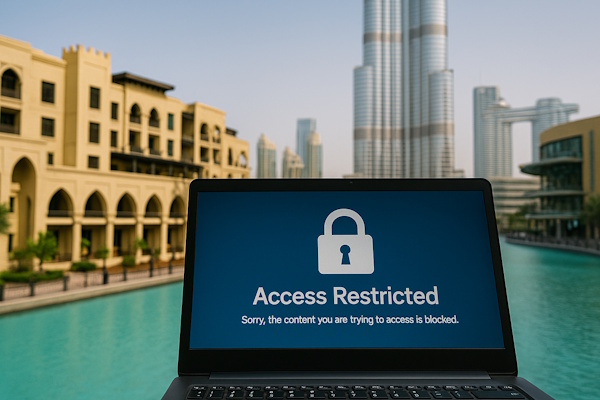
Who regulates internet access?
The UAE Telecommunications and Digital Government Regulatory Authority (TDRA) sets the country’s internet access policy. Providers block categories of prohibited content. This is a national framework, so a hotel network is not automatically an exception. The TDRA internet guidelines explain the categories and the approach to internet calling.
Filtering may affect pages involving pornography, gambling, prohibited commodities, certain security threats or material subject to a legal order. Availability can change. Avoid treating an old list of blocked domains as a reliable checklist for your trip.
WhatsApp, FaceTime and other calls
It helps to separate messages from calls. A messaging app may send text, pictures and voice notes normally while its live voice or video calling feature does not connect. That does not mean the whole platform is blocked. Different apps, carriers and networks can behave differently over time.
TDRA says VoIP calling is a regulated service. Services offered by a licensed UAE provider, in collaboration with one, or otherwise approved by TDRA can operate. The TDRA VoIP FAQ advises users to check an application’s current approval instead of assuming a familiar app is permitted. Download a suitable approved option and test it before you need to make an important call. A conventional international phone call or your carrier’s roaming plan may be a simpler fallback.
Are VPNs legal in Dubai?
There is no useful blanket answer such as “every VPN is banned” or “every VPN use is fine”. TDRA explicitly recognizes legitimate corporate use, including secure access to an employer’s internal network. It also lists services designed to bypass prohibited content among the categories subject to blocking. A VPN does not legalize an underlying prohibited activity. If your employer requires one, check the employer’s setup and the provider’s guidance before departure.
Wi-Fi, mobile data and eSIMs
Hotels, airports, malls and many cafes offer Wi-Fi, but speeds, sign-in methods and coverage vary. Ask your accommodation whether Wi-Fi is included, whether it reaches the room and whether there is a device limit. If you must work, keep a mobile data backup. An unlocked phone can use a local tourist SIM or a compatible eSIM; compare the data allowance, validity and international calling cost before purchase. Your home provider’s roaming may be convenient but can cost more.
Save your accommodation address, boarding pass and essential booking confirmations for offline access. Download an offline map for the area around your hotel. These small steps help even when the network is fine: batteries run out, a captive Wi-Fi portal can be awkward, and a building may have patchy reception.
Streaming, social media and banking
Ordinary social media browsing, email and online banking are commonly used in Dubai. A streaming catalogue may vary by country because of licensing. A bank may ask for a one-time code on your home number, so keep that SIM available or arrange a reliable authentication method in advance. Public Wi-Fi is convenient for travel planning; use your bank’s normal security measures and check you are on the venue’s real network.
Practical checklist before you fly
- Ask family or colleagues which approved call method they can use.
- Check your phone’s eSIM support and roaming charges.
- Keep a non-app fallback for urgent calls.
- Download maps and travel documents.
- Check TDRA’s current guidance if a particular service is essential.
For related practical issues, see UAE customs, clothing in Dubai, taxis and Dubai Airport.
Remote work: make a realistic plan
If you need to join a meeting from Dubai, test the exact conferencing software in advance with your employer’s IT team. Meeting applications, private network access and consumer internet calling are not interchangeable. A service available at your office may be unavailable on a hotel Wi-Fi network; a mobile hotspot can also have different performance from a fixed connection. Ask the hotel about wired internet or a business workspace if connection quality is critical. Plan around time zones and prepare a telephone dial-in option where the meeting organizer offers one.
Do not assume that downloading an app before arrival guarantees its calling feature will work. Availability depends on the service and the UAE network. If a business has its own secure remote access, TDRA’s published guidance recognizes legitimate corporate VPN use, but your company should ensure its setup fits local requirements. For a long stay, ask the licensed provider about suitable voice and data packages.
Family travel and essential contacts
Families can avoid confusion by agreeing on a primary and backup contact method before the flight. A text message, an ordinary phone call and an approved internet call may all have different costs or limitations. Write down your hotel’s number and an emergency contact on paper. Keep a small amount of battery power for maps and messages when sightseeing. Children travelling with another adult should know how to contact the hotel if separated.
At the airport, free Wi-Fi may require accepting terms or receiving an SMS. If your home SIM has no roaming, you may need another way to complete sign-in. Set up essential authentication before departure. Once connected, test your normal message app and make sure your family knows which calling method actually works.
Which everyday services are affected?
For most travellers, the word “internet restriction” sounds more dramatic than their daily experience. A search for restaurant opening hours, a map route, an airline check-in or an email to a hotel normally looks familiar. The friction appears at the point where an app switches from sending a message to carrying a live call. You may be able to see a contact online, exchange photos and send a recorded voice note, but tapping the telephone symbol produces no connection. This distinction explains why two people can report opposite experiences with the same app while both are describing their own use accurately.
Another source of confusion is location. Some travel forums combine experiences from Dubai with observations made in another country or from a foreign roaming connection. A network change, app update or regulatory decision can also alter an earlier result. Instead of keeping a fixed list of “working apps” in your itinerary, keep the regulator’s current guidance and an ordinary phone-call option. If contacting someone abroad is essential on a particular date, agree in advance on a tested method and a backup time.
Choose connectivity by the length of your stay
For a weekend, your existing roaming plan might be the simplest choice if the daily cost and data limit suit you. A traveller staying a week or longer may prefer a local tourist SIM or eSIM. Check whether the advertised package includes only domestic data or also calls, whether unused data expires, and whether your phone supports the required network and eSIM installation. Keep your home number active if your bank sends authentication codes to it. Dual-SIM phones can make that arrangement easier, but a device with only one physical SIM slot may require more planning.
Hotels often describe Wi-Fi as free without promising a minimum speed in every room. If you will upload large files or attend video meetings, ask about a workspace and test the connection after arrival. A nearby cafe is not necessarily an alternative: its signal may be busy or available only to customers, and a public network may disconnect after inactivity. Downloading essential documents beforehand costs little effort and protects you against this ordinary travel inconvenience.
Using online services responsibly
The UAE’s content policy concerns categories of online material, while its VoIP policy concerns the provision of voice and video communication. These are related but distinct topics. A blocked page does not prove that your entire phone or account is restricted. Conversely, being able to open a service’s website does not prove that its calling function is licensed. Consult the TDRA for regulatory questions; a hotel employee may know what works on the hotel’s network today but cannot give a binding legal interpretation.
Visitors should also remember privacy and conduct. A fast connection does not make it acceptable to publish another person’s photo, private conversation or angry allegation. The laws governing online conduct can differ from what you are used to at home. For ordinary travel writing or social media, get permission before posting a close-up of a stranger, avoid sharing private details and use a service’s complaint channel for a dispute. See our guide to Dubai rules for visitors for broader context.
How to troubleshoot a failed call
First check whether the internet connection itself works by opening an ordinary webpage. Then send a text message in the app. If messages work but live calls do not, the problem may be the service’s availability rather than the hotel’s Wi-Fi speed. Try your agreed approved calling method or a regular mobile call. Restarting the phone or switching between Wi-Fi and data can resolve a normal connection fault, but it does not change a regulatory restriction. Avoid installing a random “unblocker” from a search result: it can create a privacy or security problem without providing a dependable solution.
When a bank login fails, the issue may be two-factor authentication rather than local filtering. Check whether the bank sent a code to your home SIM, whether its app requires an update and whether the time on your device is correct. For work services, contact your employer’s support team. Keep screenshots of an error message for troubleshooting, but do not send passwords or authentication codes to strangers offering to help online.
Travelling with children or older relatives
Not everybody in a group uses the same apps. Before departure, agree on one simple text channel, one calling option and a meeting place if phones are unavailable. Save the hotel’s name and address in English on each phone. Children should know whom to approach for help, while relatives who rarely use eSIMs may be better served by a familiar roaming plan and a small amount of prepaid call credit. The cheapest technical solution is not always the easiest during a stressful moment.
On a day trip into the desert, mobile coverage can vary. A tour operator’s instructions and emergency procedure matter more than the promise of citywide fast internet. Ask where the pickup is, how to contact the driver and what to do if you miss the meeting point. Screenshot the booking details before setting out. The same approach helps with a city tour or a visit to the Burj Khalifa.
Questions to ask before choosing a data package
What is the actual data volume, and does the quoted price include tax? Is tethering allowed if you want to connect a laptop? Does the package include international minutes, or only data? How long does it remain valid, and can you top it up from abroad? Does your device support the local eSIM and remain unlocked? A package described as “unlimited” may have a fair-use speed limit. These details are more useful than the simple claim that Dubai has fast internet.
If your flight lands late, consider whether you need connectivity immediately for a taxi or hotel check-in. Save your hotel address and directions in advance so you are not dependent on purchasing a SIM at the airport. When a QR code is used to install an eSIM, follow the provider’s instructions before switching off your existing data line. Keep the confirmation email accessible offline.
Frequently asked questions
Can I send WhatsApp messages?
Text and media messaging generally work; live calling is a separate regulated feature.
Does hotel Wi-Fi remove the restrictions?
No. Hotels still use networks operating under UAE rules.
Should I buy a tourist SIM?
It is useful when you need navigation and messages away from the hotel. Compare local SIMs, eSIMs and roaming for your particular stay.
What if my usual calling app fails?
Use an approved service, a regular voice call or another method confirmed by your provider. Do not rely on workarounds that violate local rules.